TrueK8S Part 05
Configuring Ingress for my Kubernetes Cluster
Do you remember in part 2 of this series where we used the kubectl command to manually port-forward to a service in our cluster? That sucked, right? Let’s not do that. Let’s deploy an ingress controller to handle the task of routing traffic for us.
We’ll be configuring a few things here. First, MetalLB which provides kubernetes with access to REAL IPs on your network. Second, we’ll configure nginx which will be a proxy for application traffic.
MetalLB
MetalLB is a load balancer for bare (or virtualized?) metal kubernetes clusters. It allows kubernetes services to take a real IP from your clusters physical network. The first step here is to decide what IP or range of IPs we’ll configured MetalLB to use. IPs are not necessarily sensitive information depending who you ask, but we’ll put them in our secure configmap for safe storage anyway.
We’ll also need to chose one IP from this range to assign to our ingress controller.
In my case, I’m taking a range of IPs from my cluster’s local network. My nodes are 192.168.XX.101-112. I will assign the range ~.200-.250 for this use case. I will use the first address of that range for nginx.
Go ahead and decrypt cluster-config.yaml
$ sops -d -i cluster-config.yaml And add your MetalLB range and the IP you want assigned to NGINX like this:
apiVersion: v1
kind: ConfigMap
metadata:
    name: cluster-config
    namespace: flux-system
data:
    test: Value
    METALLB_RANGE: 192.168.XX.200-192.168.XX.250
    NGINX_IP: 192.168.XX.200
    DOMAIN_0: mydomain.tld
    CLOUDFLARE_TOKEN: token-token-token-token-token
    CLOUDFLARE_EMAIL: email-email-email@domain-domain-domain.tld
Now re-encrypt the file and commit the changes to your repo. It should also go without saying that you should always be sure to re-encrypt your config files before committing.
$ sops -e -i cluster-config.yaml
$ git add -A && git commit -m 'add metallb range to cluster-config'
$ git push
Now we’re going to create the MetalLB deployment manifests. We’re actually going to create two sets of resources applied by separate kustomizations. The first kustomization will deploy MetalLB itself, and the second will deploy a MetalLB configuration. The configuration can only be applied after MetalLB is deployed, so we’ll use separate kustomizations with the dependsOn configuration to ensure they’re applied in the right order.
Go ahead and create the following new directories and resources:
infrastructure/
├── core
│ ├── metallb
│ │   ├── helm-release.yaml
│ │   ├── kustomization.yaml
│ │   └── namespace.yaml
│ └── metallb-config
│     ├── helm-release.yaml
│     ├── kustomization.yaml
│     └── namespace.yaml
└── production
│ ├── kustomization.yaml
│ ├── metallb-config.yaml
│ └── metallb.yaml
└── repos
  └── metallb.yaml
Where the values of each file are:
repos
metallb.yaml
apiVersion: source.toolkit.fluxcd.io/v1
kind: HelmRepository
metadata:
    name: metallb
    namespace: flux-system
spec:
    interval: 10m
    url: https://metallb.github.io/metallb
    timeout: 3m
infrastructure/core/metallb
- helm-release.yaml
apiVersion: helm.toolkit.fluxcd.io/v2
kind: HelmRelease
metadata:
    name: metallb
    namespace: metallb
spec:
    interval: 5m
    chart:
        spec:
            chart: metallb
            sourceRef:
                kind: HelmRepository
                name: metallb
                namespace: flux-system
            interval: 5m
    install:
        createNamespace: true
        remediation:
            retries: 3
    upgrade:
        remediation:
            retries: 3
    values:
      speaker:
ignoreExcludeLB: true- namespace.yaml
apiVersion: v1
kind: Namespace
metadata:
    name: metallb
    labels:
pod-security.kubernetes.io/enforce: privileged- kustomization.yaml
apiVersion: kustomize.config.k8s.io/v1beta1
kind: Kustomization
resources:
  - namespace.yaml
  - helm-release.yaml
infrastructure/core/metallb-config
- helm-release.yaml
apiVersion: helm.toolkit.fluxcd.io/v2
kind: HelmRelease
metadata:
  name: metallb-config
  namespace: metallb-config
spec:
  interval: 15m
  chart:
    spec:
      chart: metallb-config
      sourceRef:
        kind: HelmRepository
        name: truecharts
        namespace: flux-system
      interval: 15m
  timeout: 20m
  maxHistory: 3
  driftDetection:
    mode: warn
  install:
    createNamespace: true
    remediation:
      retries: 3
  upgrade:
    cleanupOnFail: true
    remediation:
      retries: 3
  uninstall:
    keepHistory: false
  values:
    L2Advertisements:
      - name: main
        addressPools:
          - main
    ipAddressPools:
      - name: main
        autoAssign: false
        avoidBuggyIPs: true
        addresses:
- ${METALLB_RANGE}- namespace.yaml
apiVersion: v1
kind: Namespace
metadata:
    name: metallb-config
    labels:
pod-security.kubernetes.io/enforce: privileged- kustomization.yaml
apiVersion: kustomize.config.k8s.io/v1beta1
kind: Kustomization
resources:
  - namespace.yaml
  - helm-release.yaml
./infrastructure/production/
- metallb.yaml
apiVersion: kustomize.toolkit.fluxcd.io/v1
kind: Kustomization
metadata:
  name: metallb
  namespace: flux-system
spec:
  interval: 10m
  path: infrastructure/core/metallb
  prune: true
  sourceRef:
    kind: GitRepository
name: flux-system- metallb-config.yaml
apiVersion: kustomize.toolkit.fluxcd.io/v1
kind: Kustomization
metadata:
  name: metallb-config
  namespace: flux-system
spec:
  dependsOn:
    - name: metallb
  interval: 10m
  path: infrastructure/core/metallb-config
  prune: true
  sourceRef:
    kind: GitRepository
    name: flux-system
And last but not least, edit the infrastructure and repos kustomizations to tie it all together.
./infrastructure/production/kustomization.yaml
apiVersion: kustomize.config.k8s.io/v1beta1
kind: Kustomization
resources:
  - metallb.yaml
  - metallb-config.yaml
./repos/kustomization.yaml
apiVersion: kustomize.config.k8s.io/v1beta1
kind: Kustomization
resources:
  - podinfo.yaml
  - jetstack.yaml
  - truecharts.yaml
  - metallb.yaml
Then commit your changes and watch as flux reconciles the new resources.
git add -A && git commit -m 'added metallb'
git push
flux events --watch
Validating Metallb
To verify MetalLB was deployed and correctly configured, you can use your tools to inspect the different parts of the deployment. Start with inspecting the resources deployed by our infrastructure kustomization:
$ flux tree ks infrastructure
Kustomization/flux-system/infrastructure
├── Kustomization/flux-system/metallb
│   ├── Namespace/metallb
│   └── HelmRelease/metallb/metallb
│       ├── ServiceAccount/metallb/metallb-controller
│       ├── ServiceAccount/metallb/metallb-speaker
│       ├── Secret/metallb/metallb-webhook-cert
│       ├── ConfigMap/metallb/metallb-excludel2
│       ├── ConfigMap/metallb/metallb-frr-startup
│       ├── CustomResourceDefinition/bfdprofiles.metallb.io
│       ├── CustomResourceDefinition/bgpadvertisements.metallb.io
│       ├── CustomResourceDefinition/bgppeers.metallb.io
│       ├── CustomResourceDefinition/communities.metallb.io
│       ├── CustomResourceDefinition/ipaddresspools.metallb.io
│       ├── CustomResourceDefinition/l2advertisements.metallb.io
│       ├── CustomResourceDefinition/servicel2statuses.metallb.io
│       ├── ClusterRole/metallb:controller
│       ├── ClusterRole/metallb:speaker
│       ├── ClusterRoleBinding/metallb:controller
│       ├── ClusterRoleBinding/metallb:speaker
│       ├── Role/metallb/metallb-pod-lister
│       ├── Role/metallb/metallb-controller
│       ├── RoleBinding/metallb/metallb-pod-lister
│       ├── RoleBinding/metallb/metallb-controller
│       ├── Service/metallb/metallb-webhook-service
│       ├── DaemonSet/metallb/metallb-speaker
│       ├── Deployment/metallb/metallb-controller
│       └── ValidatingWebhookConfiguration/metallb-webhook-configuration
└── Kustomization/flux-system/metallb-config
    ├── Namespace/metallb-config
    └── HelmRelease/metallb-config/metallb-config
        ├── IPAddressPool/metallb/main
        └── L2Advertisement/metallb/main
We can see that everything has been deployed. The MetalLB kustomization deployed the Helm chart which brought along all the different parts of MetalLB, and the MetalLB-config kustomization created two custom resource definitions that will configure MetalLB within our cluster. Let’s inspect those resources with kubectl:
$ kubectl get l2advertisements.metallb.io -A
NAMESPACE   NAME   IPADDRESSPOOLS   IPADDRESSPOOL SELECTORS   INTERFACES
metallb     main   ["main"]
$ kubectl get ipaddresspools.metallb.io -A
NAMESPACE   NAME   AUTO ASSIGN   AVOID BUGGY IPS   ADDRESSES
metallb     main   true          true              ["192.168.XX.200-192.168.XX.250"]
So we have proof that MetalLB has been deployed and is configured. These steps of inspecting resources will be helpful to you whenever you are troubleshooting with flux and kubernetes.
Deploy NGINX
With MetalLB configured, we can move on to deploying NGINX.
Create the following directories and manifests:
truek8s
├── infrastructure
│   ├── core
│   │   └── ingress-nginx
│   │      ├── helm-release.yaml
│   │      ├── kustomization.yaml
│   │      └── namespace.yaml
│   └── production
│       └── ingress-nginx.yaml
└── repos
    └── ingress-nginx.yaml
infrastructure/core/ingress-nginx
The configuration of NGINX is specified in the spec.values section of this manifest. Pay particular attention to the loadBalancerIPs and ingressClassResource.
helm-release.yaml
apiVersion: helm.toolkit.fluxcd.io/v2
kind: HelmRelease
metadata:
  name: ingress-nginx
  namespace: ingress-nginx
spec:
  interval: 15m
  chart:
    spec:
      chart: 'ingress-nginx'
      version: 4.12.2
      sourceRef:
        kind: HelmRepository
        name: 'ingress-nginx'
        namespace: flux-system
      interval: 15m
  timeout: 20m
  maxHistory: 3
  install:
    createNamespace: true
    remediation:
      retries: 3
  upgrade:
    cleanupOnFail: true
    remediation:
      retries: 3
  uninstall:
    keepHistory: false
  values:
    controller:
      replicaCount: 2
      service:
        externalTrafficPolicy: Local
        annotations:
          metallb.io/ip-allocated-from-pool: main
          metallb.io/loadBalancerIPs: ${NGINX_IP}
          metallb.universe.tf/ip-allocated-from-pool: main
      ingressClassByName: true
      ingressClassResource:
        name: internal
        default: true
        controllerValue: k8s.io/internal
      config:
        allow-snippet-annotations: true
        annotations-risk-level: Critical
        client-body-buffer-size: 100M
        client-body-timeout: 120
        client-header-timeout: 120
        enable-brotli: "true"
        enable-ocsp: "true"
        enable-real-ip: "true"
        force-ssl-redirect: "true"
        hide-headers: Server,X-Powered-By
        hsts-max-age: "31449600"
        keep-alive-requests: 10000
        keep-alive: 120
        proxy-body-size: 0
        proxy-buffer-size: 16k
        ssl-protocols: TLSv1.3 TLSv1.2
        use-forwarded-headers: "true"
      metrics:
        enabled: true
      extraArgs:
        default-ssl-certificate: "clusterissuer/certificate-issuer-star-domain-0"
        publish-status-address: ${NGINX_IP}
      terminationGracePeriodSeconds: 120
      publishService:
        enabled: false
      resources:
        requests:
          cpu: 100m
        limits:
          memory: 500Mi
    defaultBackend:
      enabled: false
kustomization.yaml
apiVersion: kustomize.config.k8s.io/v1beta1
kind: Kustomization
resources:
  - namespace.yaml
  - helm-release.yaml
namespace.yaml
apiVersion: v1
kind: Namespace
metadata:
    name: ingress-nginx
infrastructure/production
ingress-nginx.yaml
NGINX depends on MetalLB for it’s IP address on the local network, and also needs a certificate, so we’ll configure it to depend on MetalLB-config and cluster-issuer.
apiVersion: kustomize.toolkit.fluxcd.io/v1
kind: Kustomization
metadata:
  name: ingress-nginx
  namespace: flux-system
spec:
  dependsOn:
    - name: metallb-config
    - name: cluster-issuer
  interval: 10m
  path: infrastructure/core/ingress-nginx
  prune: true
  sourceRef:
    kind: GitRepository
    name: flux-system
Once you’ve created all of those, reference the new ingress-nginx kustomization in the infrastructure\production and repos ks:
infrastructure/production/kustomization.yaml
apiVersion: kustomize.config.k8s.io/v1beta1
kind: Kustomization
resources:
  - cert-manager.yaml
  - cluster-issuer.yaml
  - metallb.yaml
  - metallb-config.yaml
  - ingress-nginx.yaml
repos/kustomization.yaml
apiVersion: kustomize.config.k8s.io/v1beta1
kind: Kustomization
resources:
  - podinfo.yaml
  - jetstack.yaml
  - truecharts.yaml
  - metallb.yaml
  - ingress-nginx.yaml
And push your changes to your repo:
$ git add -A && git commit -m 'add ingress nginx'
$ git push
You can monitor the reconiciliation by waiting for Flux to mark the Helm release as ready.
flux get hr ingress-nginx -n ingress-nginx --watch
NAME            REVISION        SUSPENDED       READY   MESSAGE
ingress-nginx   4.12.2          False           True    Helm install succeeded for release ingress-nginx/ingress-nginx.v1 with chart [email protected]
Verify NGINX
Is it “EngineX” or “N-Ginx”? anyway… Once it’s installed and configured properly, it should create an ingress class within your cluster. Other apps will use this ingress class to automatically configure ingress with NGINX. You can use kubectl to inspect:
$ kubectl get ingressclass
NAME         CONTROLLER                                       PARAMETERS   AGE
internal     k8s.io/internal                                  <none>       2d8h

$ kubectl describe ingressclass internal
Name:         internal
Labels:       app.kubernetes.io/component=controller
              app.kubernetes.io/instance=ingress-nginx
              app.kubernetes.io/managed-by=Helm
              app.kubernetes.io/name=ingress-nginx
              app.kubernetes.io/part-of=ingress-nginx
              app.kubernetes.io/version=1.12.2
              helm.sh/chart=ingress-nginx-4.12.2
              helm.toolkit.fluxcd.io/name=ingress-nginx
              helm.toolkit.fluxcd.io/namespace=ingress-nginx
Annotations:  ingressclass.kubernetes.io/is-default-class: true
              meta.helm.sh/release-name: ingress-nginx
              meta.helm.sh/release-namespace: ingress-nginx
Controller:   k8s.io/internal
Events:       <none>
Testing ingress
Having an ingress controller won’t be very helpful unless you also know how to use that ingress controller for a given application. Let me provide an example by creating an ingress resource for our example deployment of podinfo.
apps/general/podinfo
ingress.yaml
Create an ingress.yaml file here, and populate it like this:
apiVersion: networking.k8s.io/v1
kind: Ingress
metadata:
  name: podinfo-nginx
  namespace: podinfo
spec:
  ingressClassName: internal
  rules:
    - host: podinfo.${DOMAIN_0}
      http:
        paths:
          - backend:
              service:
                name: podinfo
                port:
                  number: 9898
            path: /
            pathType: Prefix
kustomization.yaml
and add a reference to this new file to the kustomization.
apiVersion: kustomize.config.k8s.io/v1beta1
kind: Kustomization
resources:
  - namespace.yaml
  - helm-release.yaml
  - ingress.yaml
And commit those changes
$ git add -A && git commit -m 'add podinfo ingress'
$ git push
This will create a new ingress resource from the ‘internal’ ingress class we used earlier. inspect the results with flux and kubectl:
$ flux tree ks podinfo
Kustomization/flux-system/podinfo
├── Namespace/podinfo
├── HelmRelease/podinfo/podinfo
│   ├── Service/podinfo/podinfo
│   └── Deployment/podinfo/podinfo
└── Ingress/podinfo/podinfo-nginx

$ kubectl get ingress -n podinfo podinfo-nginx
NAME            CLASS      HOSTS             ADDRESS                           PORTS   AGE
podinfo-nginx   internal   podinfo.domain.tld   192.168.XX.111,192.168.XX.112   80      116s
$ kubectl describe  ingress -n podinfo podinfo-nginx
Name:             podinfo-nginx
Namespace:        podinfo
Address:          192.168.XX.111,192.168.XX.112
Default backend:  default-http-backend:80 (<error: endpoints "default-http-backend" not found>)
Rules:
  Host             Path  Backends
  ----             ----  --------
  podinfo.domain.tld
                   /   podinfo:9898 (172.XX.2.8:9898)
Annotations:       <none>
Events:
  Type    Reason  Age                   From                      Message
  ----    ------  ----                  ----                      -------
  Normal  Sync    108s (x2 over 2m43s)  nginx-ingress-controller  Scheduled for sync
  Normal  Sync    108s (x2 over 2m43s)  nginx-ingress-controller  Scheduled for sync
You’ll need to configure your local DNS to resolve these names and point at your MetalLB IP. What I do is create a host record pointing at NGINX and then create CNAMES for every service I deploy.
truek8s@debian02:~/Documents/truek8s/config$ nslookup nginx.domain.tld
Server:         192.168.XX.2
Address:        192.168.XX.2#53

Non-authoritative answer:
Name:   nginx.domain.tld
Address: 192.168.XX.200

truek8s@debian02:~/Documents/truek8s/config$ nslookup podinfo.domain.tld
Server:         192.168.XX.2
Address:        192.168.XX.2#53

Non-authoritative answer:
podinfo.domain.tld canonical name = nginx.domain.tld.
Name:   nginx.domain.tld
Address: 192.168.XX.200
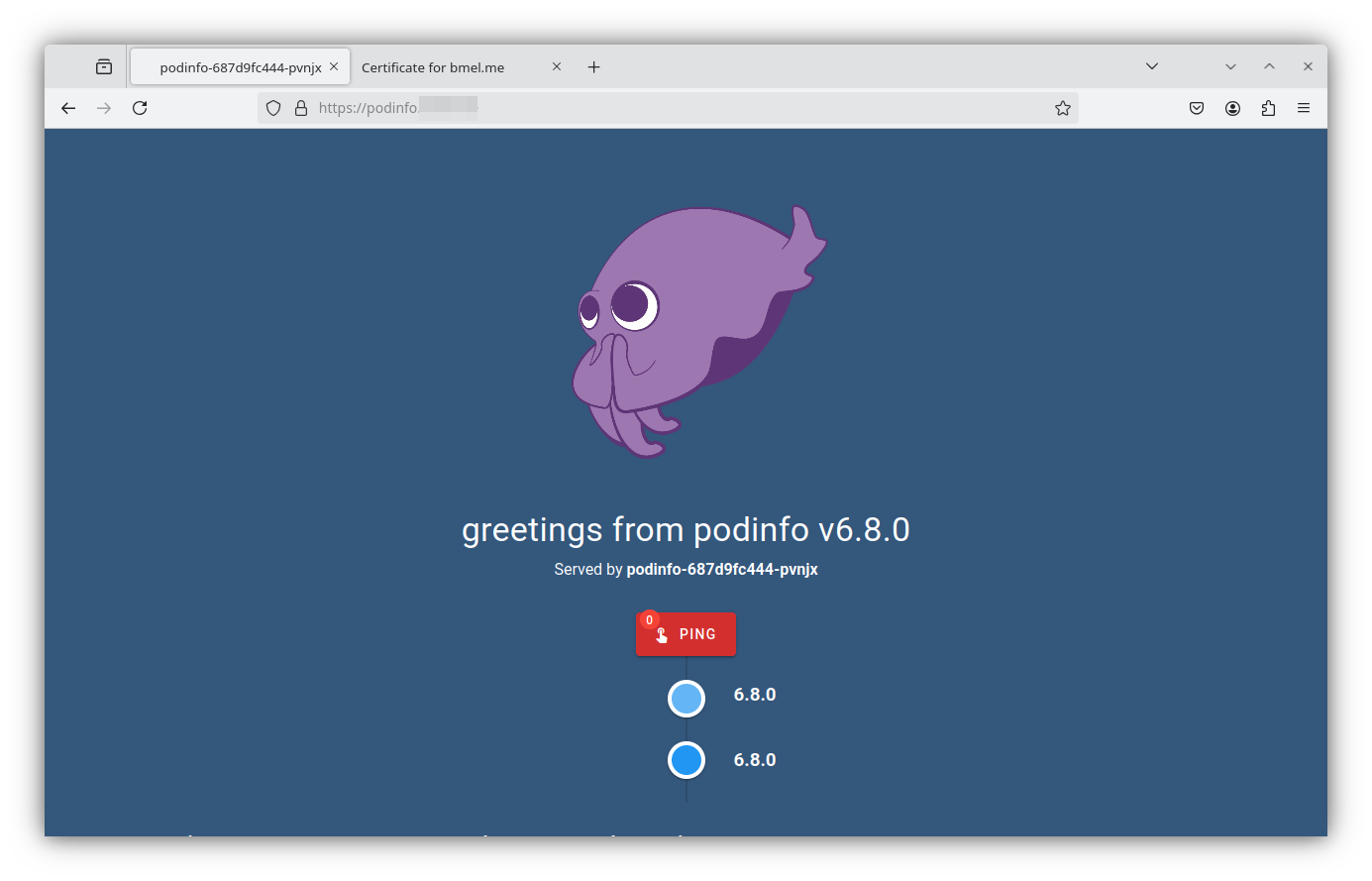
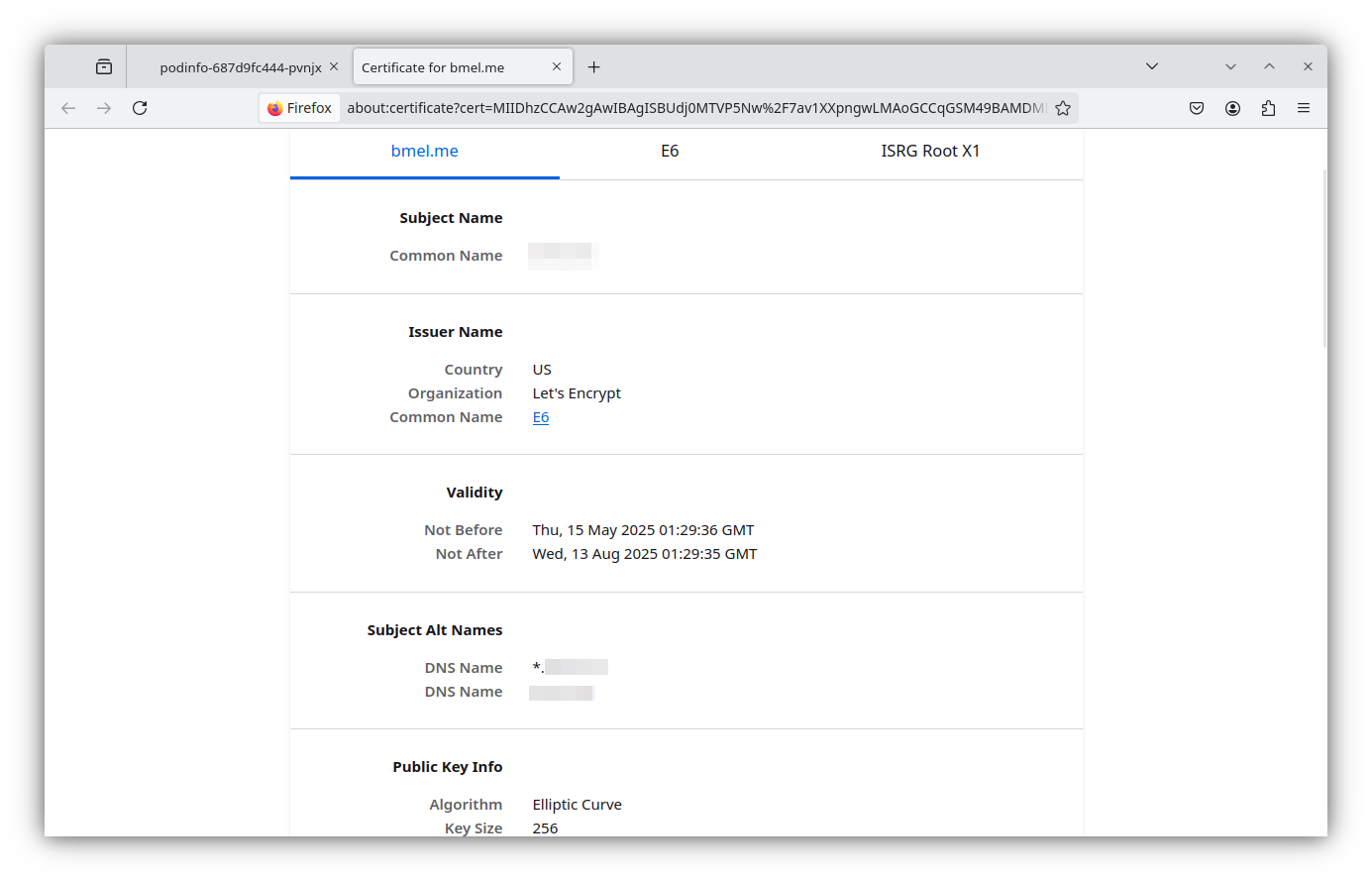
When all that is configured, you should be able to access the podinfo web service at the IP\DNS name you configured. Thanks to the work we did in part 4, nginx was able to automatically retrieve a certificate for the podifo service and serve over HTTPS with a valid cert.